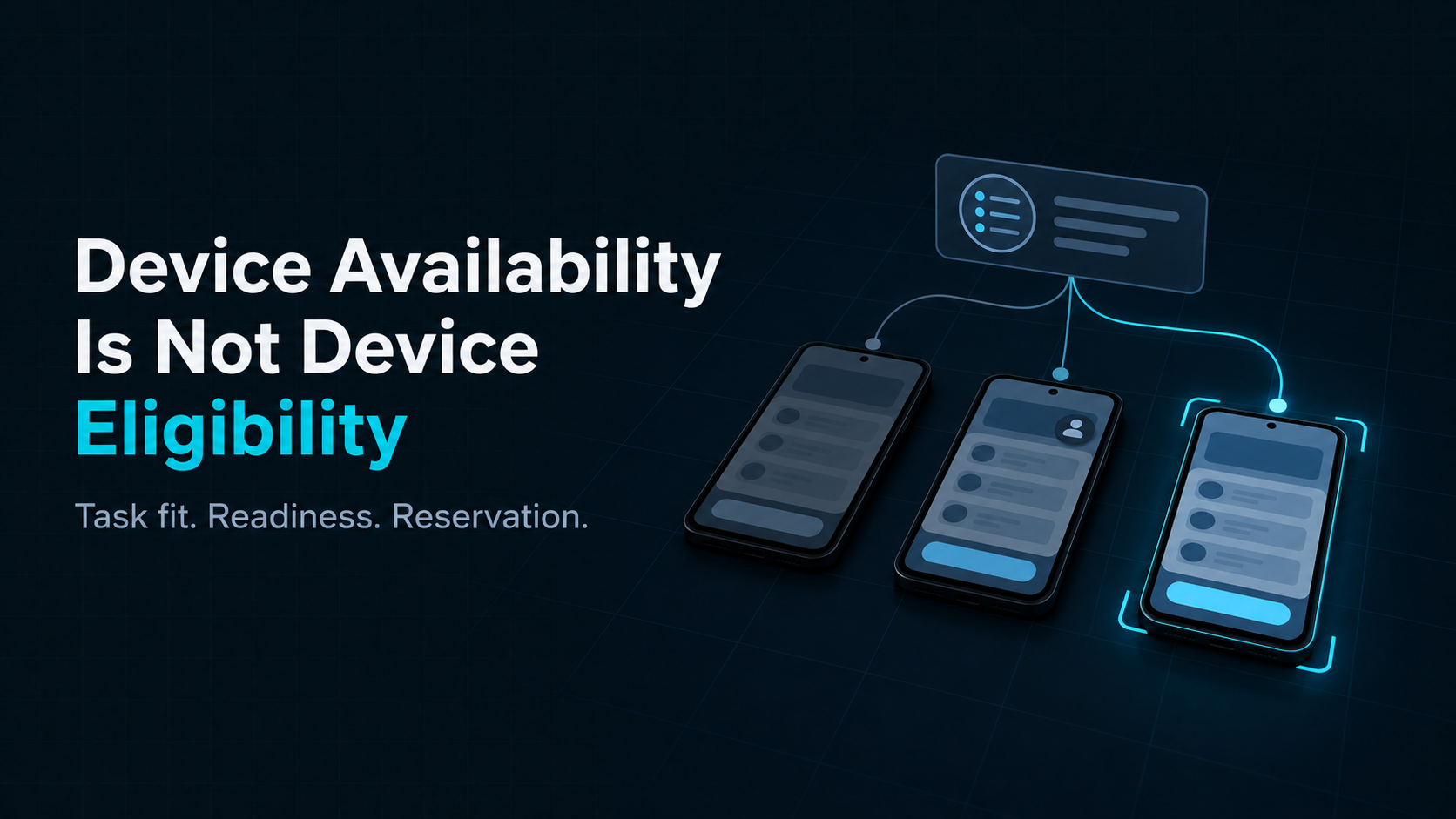
A device can be online, responsive, and idle, yet still be the wrong device for a task. It may run an incompatible Android version, lack the required app build, or be attached to a network profile the task does not allow. Conversely, a device that matches every requirement may already be reserved or held for recovery.
That is why task eligibility, operational readiness, and reservation should be treated as different questions. Eligibility describes whether a device’s profile satisfies a particular task. Readiness describes whether current operating conditions allow it to proceed. Reservation determines whether the system can allocate it to this attempt now, without assigning it elsewhere at the same time. “Online” is only one observation relevant to readiness; it does not answer all three questions.
The distinction matters once a pool serves several workloads. A fleet-wide count of connected or idle devices cannot tell a scheduler which device is suitable for a specific run. The decision needs task requirements, device attributes, sufficiently current observations, and an explicit allocation step.
Start with the task’s hard requirements
Suppose a mobile-agent evaluation must run a particular app build on Android 14 or later, using a designated lab network. The task may also prefer a device from a particular test cohort, but that preference is not essential to a valid run.
Write the requirements in two groups:
- Hard constraints define whether a device can perform a valid attempt: for example, supported Android version, required app build, and an allowed network profile.
- Preferences help choose among devices that already satisfy every hard constraint: for example, a preferred cohort or a documented rotation policy.
This separation prevents a ranking score from quietly overruling a requirement. A device with a strong preference score must not outrank a device that is the only one meeting the task’s hard conditions. If the task permits a fallback, identify which preference may be relaxed and record that choice; do not silently relax a hard constraint.
The task definition should be specific enough to evaluate against device information. “Use a recent Android phone” is difficult to apply consistently. A minimum OS level, required app build, and named network profile give the scheduler testable conditions. Where a requirement is unknown or not observable, the system should represent that uncertainty explicitly rather than treating it as a match.
Evaluate each candidate against a particular task
Eligibility is relational, not a permanent label attached to a device. The same device may be eligible for one task and ineligible for another. Evaluate eligibility against two inputs:
- Mandatory task requirements: the hard constraints that determine whether a device’s profile is suitable for this attempt.
- Device profile: attributes such as model, OS version, installed app build, and configured network profile.
These inputs change at different rates. A device model may remain stable for months; an installed app build can change during maintenance; reachability can change in seconds. Each observation therefore needs a timestamp or freshness rule appropriate to the decision. A stale “online” observation is not proof that a device is reachable now, and a missing observation is not the same as a confirmed failure.
Device test catalogs also make configuration dimensions explicit. For example, Firebase Test Lab lists Android test devices by selectable device configuration. A catalog entry helps identify a configuration that can be requested; it does not by itself establish that a particular physical unit is ready and reservable for a specific attempt at this moment.
For the example task, consider four devices:
| Candidate | Profile and current state | Decision |
|---|---|---|
| A | Android version below the task minimum; idle | Reject: hard OS mismatch |
| B | Meets OS, app, and network requirements; already reserved | Eligible by profile, unavailable for a new attempt |
| C | Meets OS and app requirements; wrong network profile; idle | Reject: hard network mismatch |
| D | Meets all hard requirements; observations are fresh; unreserved | Eligible and currently reservable |
This small example makes three states visible: a profile mismatch, a device that is eligible but not currently available for allocation, and a device that is eligible and reservable now. Keeping them separate makes “no device found” easier to explain and troubleshoot.
Filter first, then rank, then reserve
A practical allocation sequence has distinct stages:
- Normalize the task’s requirements and identify which are mandatory.
- Filter out devices that fail a mandatory profile match, are held for recovery, or have observations too stale for the task’s freshness rule.
- Check current occupancy and remove devices that cannot accept another attempt.
- Rank only the remaining candidates using a documented preference policy.
- Atomically reserve the selected device for one task attempt, then recheck the conditions that could have changed before dispatch.
The final reservation step closes a race that filtering alone cannot prevent. Two workers may inspect the same free device at nearly the same time. Both can see a candidate; only one should successfully reserve it. If reservation fails, the scheduler should continue with another still-valid candidate or report that no reservable device remains. Reservation prevents competing assignments; it does not guarantee that reachability, health, or network conditions will remain valid throughout execution. Recheck relevant conditions at dispatch, then record later changes as part of the run evidence.
The broad pattern—filter infeasible candidates, score the feasible ones, and bind a selected resource—is also present in general-purpose schedulers such as Kubernetes. That is a useful design analogy, not a claim that a container scheduler can be copied unchanged for physical Android devices. Device readiness, app state, network context, and recovery behavior need domain-specific checks.

Make a failed match explainable
When no device can be assigned, a single “unavailable” status hides useful distinctions. The result might be:
- no device profile meets the task’s hard requirements;
- matching devices exist, but all are occupied;
- matching devices are held for recovery;
- current observations are too old to make a safe decision; or
- a candidate passed filtering but lost the reservation race.
These outcomes call for different responses. A profile mismatch may require another cohort or a revised task requirement. Occupancy may call for waiting or capacity review. Stale observations may call for a health check. A reservation conflict may call for another selection attempt. Treating all of them as “no available device” makes both operations and later analysis less precise.
Keep a compact decision trace for each attempt: the task and attempt identifiers, the requirement version, the relevant device-profile snapshot and observation times, rejection reasons, the selection policy applied, and the reservation result. This does not require a scheduler to expose every internal implementation detail. It preserves enough context to answer why a device was chosen—or why none was—and to compare the decision with the eventual run evidence.
This per-task view complements capacity planning. Estimating a real Android device pool uses a workload-specific eligible-and-ready share as one planning input. The allocation decision here is narrower: for this particular attempt, which devices satisfy the requirements and can be reserved now? The aggregate estimate helps plan a pool; it does not replace the live decision.
Keep the decision proportional to the task
Not every task needs a long list of constraints. A simple flow may need only a supported OS range, an app build, and a free device. A task designed to test a particular network condition must also verify that condition. Add a constraint when it changes whether the run can answer its question; avoid turning preferences into hidden requirements.
ARMARRAY provides real Android infrastructure for Mobile AI data collection and evaluation. Teams can connect their own task requirements and scheduling logic to physical execution, while keeping the distinction between a device’s profile, its current state, and its assignment explicit.
Online tells you a device was recently reachable. Eligible tells you it can satisfy this task. Reservable tells you it can be assigned now. A reliable device workflow keeps all three decisions visible.